
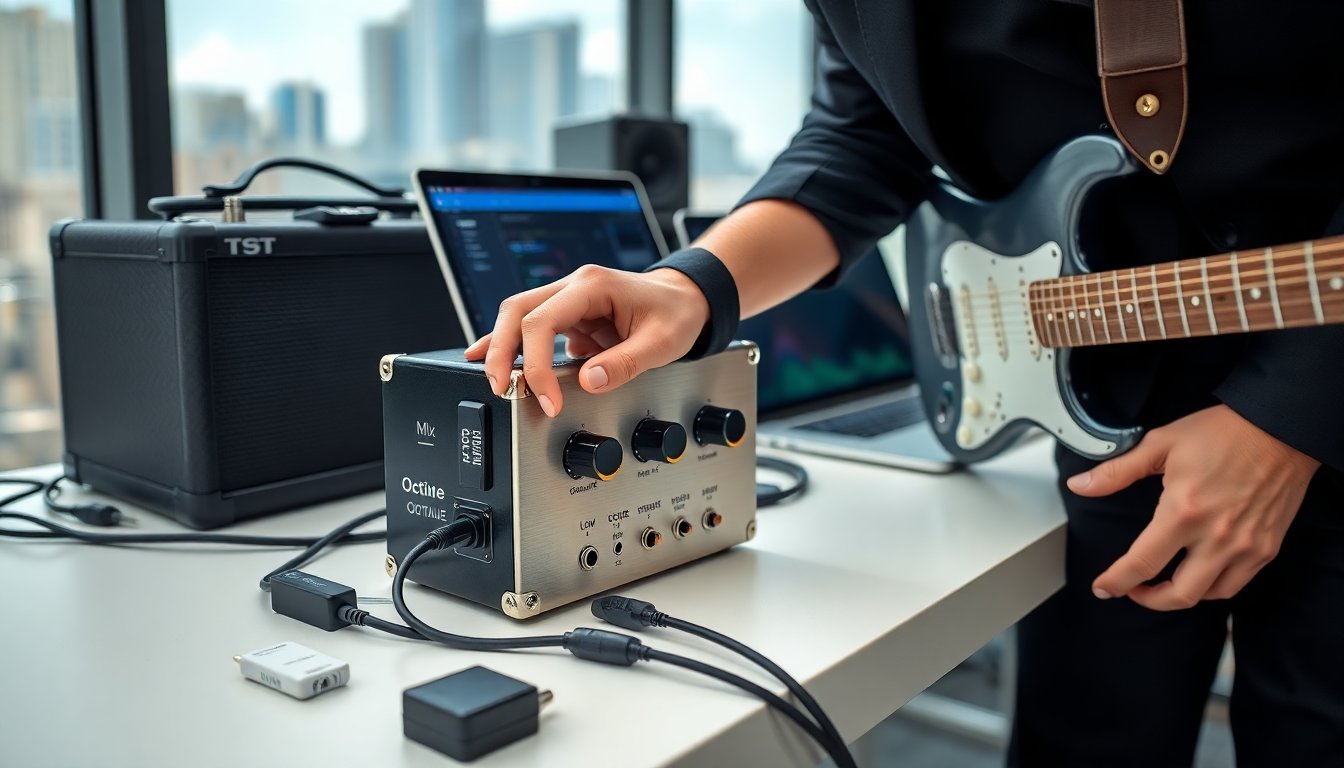
The TST Sound Octave Amplifier guide by TheSoundTour explains what the device does and how to use it. It shows setup steps, control functions, and tuning tips. Readers learn quick presets, performance hacks, and maintenance tasks. The guide focuses on clear, practical steps. It aims to help players get a clean, powerful tone fast.
Key Takeaways
- The TST Sound Octave amplifier by TheSoundTour enhances guitar and bass tones with clean octave harmonics and precise analog-DSP blending.
- Setup is straightforward: connect inputs and outputs carefully, power on with low volume, and adjust the octave mix to achieve the desired effect.
- Use the amplifier’s Mix, Octave Depth, Drive, and EQ controls to dial in clear, full tones tailored for different instruments and music styles.
- Follow quick preset recommendations as starting points and fine-tune settings based on pickups, amps, and room acoustics for best results.
- Maintain your TST Sound Octave amplifier by regularly checking tuning, cables, and power supply; clean it properly and manage cables to ensure reliable performance on stage or in the studio.
What The TST Sound Octave Is And Who Should Use It
The TST Sound Octave amplifier by TheSoundTour adds octave harmonics and clean gain to a signal. It blends octave-up and octave-down tones with a clear low-end. The device uses analog circuitry and DSP to keep the tone tight. It suits guitarists who want fuller single-note lines and synth-like textures. It fits bass players who want octave layering without muddiness. Session players and solo performers who need a consistent octave response on stage will find it useful. Home studio users who record direct will gain a clear octave layer for mixes. The unit works with pedals, amp inputs, and pedalboard loops. Techs will like the straightforward I/O and stable tuning. Buyers should check headroom, power options, and size before they add it to a rig.
Step‑By‑Step Setup And Connections
Unpack the TST Sound Octave amplifier and inspect the cables and power supply. Place the unit on a flat pedalboard or studio desk. Connect the instrument cable to the input. Connect the output to an amp input or an effects return. If they use a mixer, they should route the output to a line input. Use a balanced cable for long runs. Plug the power supply into the unit and then into a grounded outlet. Turn the master volume to low before powering on. Play a single note and raise the level slowly. Adjust the octave mix to hear the effect. For stereo rigs, use both outputs and check phase alignment. If they run the unit in front of a tube amp, they should lower output to avoid driving the amp’s preamp too hard. For live setups, place the unit near other pedals with similar power needs to reduce noise. Label the cables to make teardown faster.
Controls, Tone Shaping, And How To Dial In Your Sound
The TST Sound Octave amplifier uses simple controls for clear tone shaping. The Mix knob sets the blend between dry and octave tones. The Octave Depth control sets the octave level. The Low and High EQ knobs cut or boost the bands. The Drive control adds harmonic richness without losing clarity. The Master controls the overall output. Players should start with Mix at noon and Octave Depth low. Then they should add Drive slowly until the tone feels full. They should cut low frequencies if the octave muds the sound. A small high boost can help the octave sit above the guitar. For bass, they should keep Low higher and set Octave Depth to taste. The unit also has a fine-tune trim for octave tuning. They must match the trim to the instrument tuning. Use the Drive sparingly with single-coil pickups to avoid harshness. With humbuckers, they can add more Drive for sustain. The TST Sound Octave amplifier keeps dynamics if the player adjusts Mix more than Drive. Use EQ in small steps and test with both pick and fingers to find the sweet spot.
Quick Preset Recommendations For Common Instruments And Genres
Clean pop guitar: Mix 60%, Octave Depth 30%, Drive 10%, High +2 dB, Low -1 dB. Indie rhythm: Mix 50%, Octave Depth 40%, Drive 20%, High 0 dB, Low 0 dB. Blues lead: Mix 40%, Octave Depth 20%, Drive 40%, High +1 dB, Low +1 dB. Funk rhythm: Mix 30%, Octave Depth 50%, Drive 5%, High +3 dB, Low -2 dB. Bass layering for rock: Mix 70%, Octave Depth 60%, Drive 0%, High -1 dB, Low +3 dB. Ambient textures: Mix 80%, Octave Depth 70%, Drive 10%, High +4 dB, Low -3 dB. These settings act as starting points. Players should tweak values to match pickup output, amp voicing, and room acoustics.
Performance Tips, Troubleshooting, And Maintenance Best Practices
Players should warm up the unit before a show. They should power the device on with volume low. They should check the tuning trim before each set. If they notice latency, they should check cables and try a shorter signal path. If the octave sounds thin, increase Octave Depth and add a small high boost. If the octave sounds muddy, lower Low and reduce Mix. If noise appears, check the power adapter and shielded cables. Ground loops cause hum: they should isolate the unit or use a ground lift on the DI. For intermittent dropouts, they should inspect jacks and cable ends for wear. Tighten loose jack nuts and replace frayed cables.
They should clean the unit with a dry cloth and avoid liquids. They should store it in a padded case when they travel. Replace the power adapter after three to five years or if it shows wear. They should update firmware if the manufacturer issues updates and if the process matches the unit model. For stage rigs, secure cables with zip ties to prevent accidental unplugging. Keep spare cables and a backup power supply on the road. For studio use, they should run the unit into a direct box if needed and check levels at the console. If the unit fails, they should contact TheSoundTour support or an authorized service center. Regular checks of jacks, knobs, and the power inlet will extend the device life.